CHANGELOG

What's new

Release notes and announcements for 303 Patterns.

Performance notes on your patterns

A pattern tells you what the notes are. It doesn't tell you how to play it. Now you can write that down — the cut-off you reach for on the drop, the resonance you pull back for the breakdown — right next to the pattern it belongs to.
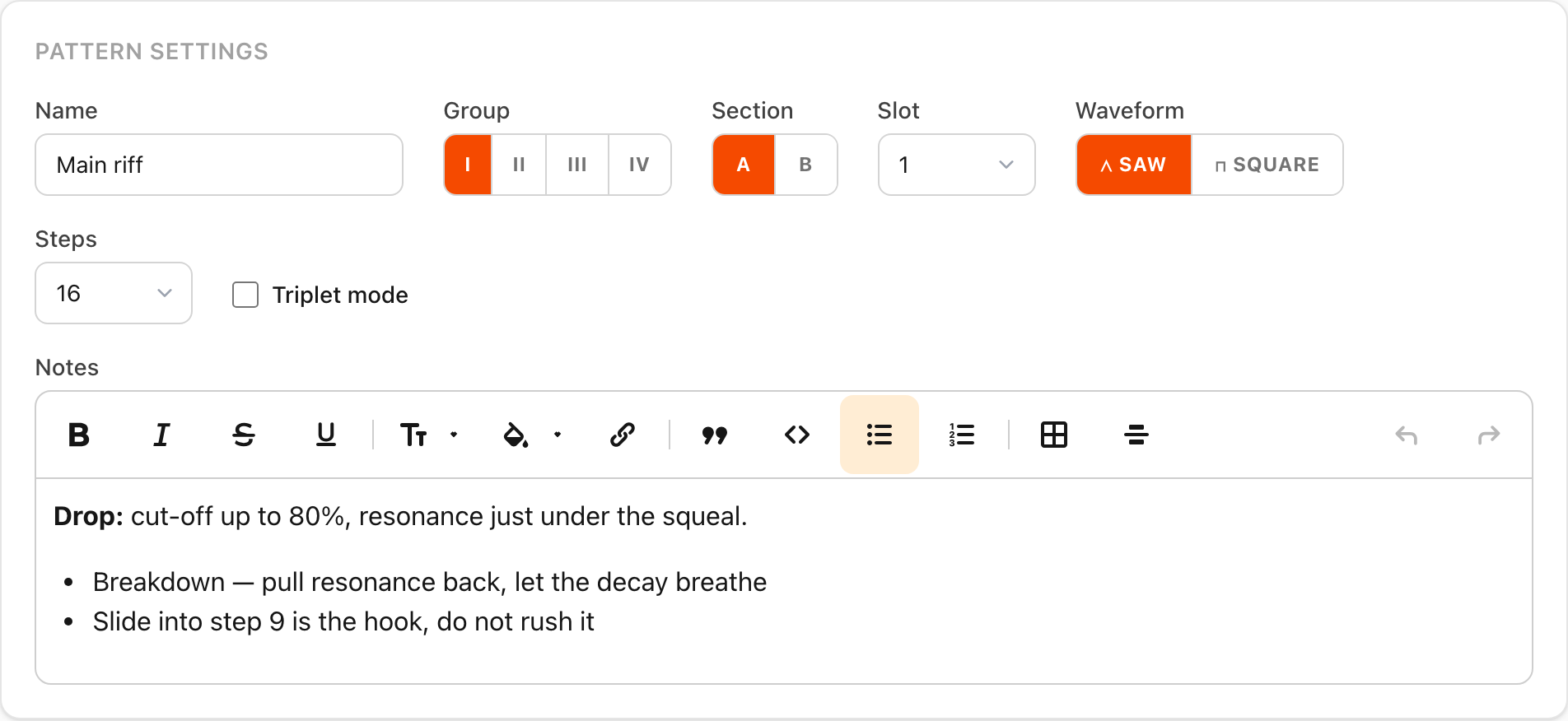
The pattern settings panel, with a notes field below the name, group, section and waveform controls holding bold text and a bullet list of performance cues

What you can do

  • Write notes on any pattern — a few words, or a few paragraphs with bold, italics, lists and headings for when a note becomes a small set of instructions.
  • Notes save as you type, like everything else on the panel.
  • They print on the cheat sheet, under the step table, so your cues are on the paper next to the hardware.
  • Duplicate a pattern and the notes come with it — a good starting point for a variation.

Smoothing the edges

  • Track notes on the song page are trimmed to a couple of lines now. Hover the ellipsis to read the whole thing without leaving the page.
  • The track edit form fills the width of the page instead of hugging the left-hand side.
USB MIDI sync with your hardware

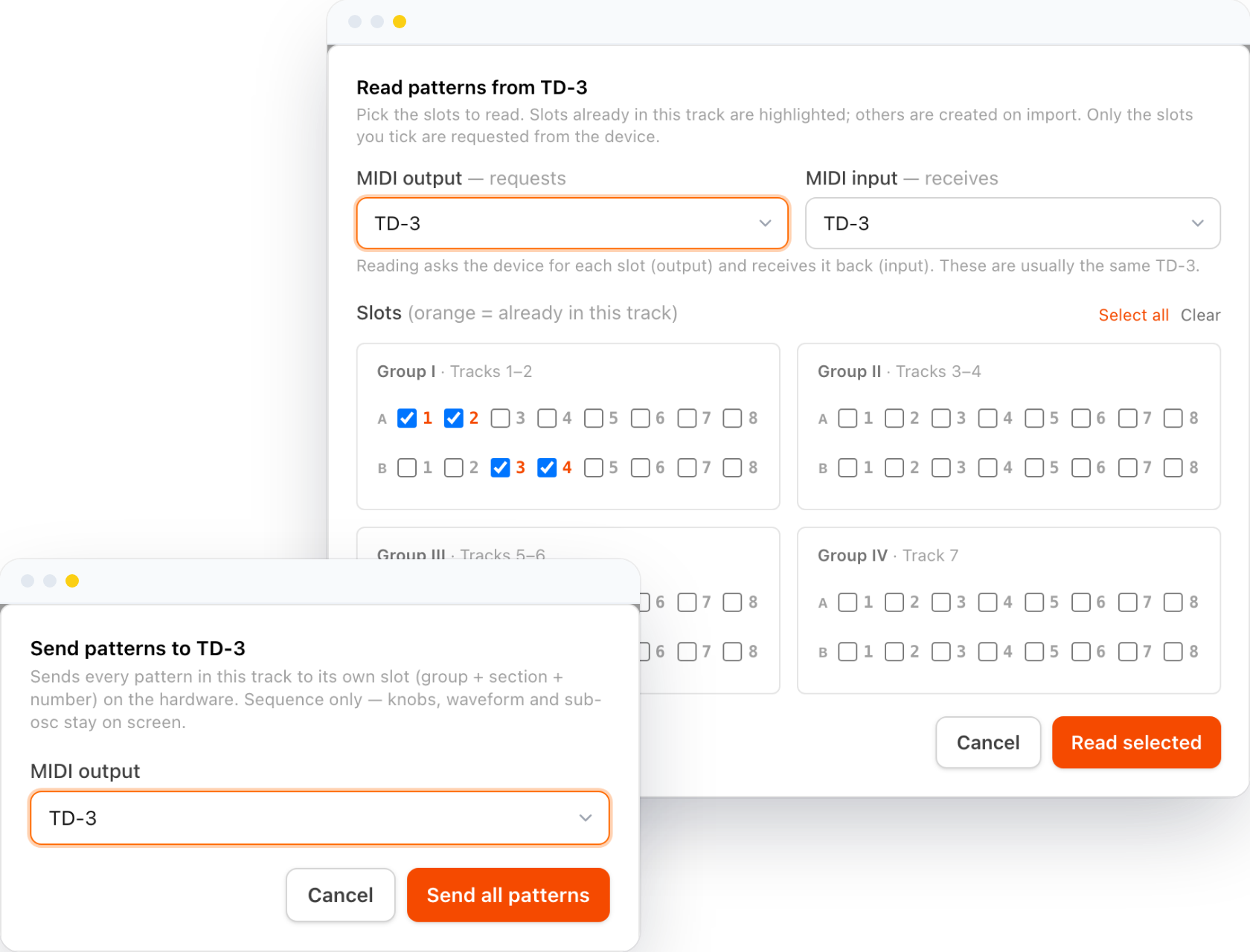
303 Patterns now talks to your hardware. Over USB MIDI (via Web MIDI), you can move patterns between the app and a real TD-3 or TD-3-MO without retyping a single step.

Sending a pattern to a connected TD-3 over USB MIDI, with the slot picker for reading patterns back off the device

What you can do

  • Send and read patterns to and from a TD-3 / TD-3-MO over USB MIDI.
  • Sync whole songs — bulk send and read across pattern slots, gated on a connected device, with a 2×2 slot picker and clear MIDI port pairing.
  • Preview on 303 — loop a pattern live on the connected device while you dial it in.

Fixes along the way

  • Corrected TD-3 slot addressing (an off-by-one) and added MIDI diagnostics.
  • Fixed stuck and hanging notes in device preview: note-on and note-off are now balanced, and same-pitch slides no longer re-attack.
  • Freed the preview drum machine from the pattern's step count, so the drums hold a steady 4/4 groove against polyrhythmic, non-16-step patterns.
  • Consistent, centered modals across every send and read surface.

Improved 303 audio emulation

The in-browser preview now sounds a lot closer to the real thing. We rebuilt the voice from the filter up, so what you hear while programming is much nearer to a 303 on the bench.

What you can do

  • Hear a truer filter — a proper ladder-filter model replaces the old approximation, with cutoff, resonance, and accent behaving the way the hardware does.
  • Get the right oscillators — the saw and square are shaped to match the 303's real waveforms, and balanced by perceived loudness so neither jumps out.
  • Go Devil Fish — Modded Out (MO) controls join the panel, and each song carries a stock-or-modded "edition", shown as a chip on your track list. In modded mode the classic Decay knob becomes the volume envelope, just like the mod.
  • Tame the Overdrive and Muffler — both now follow the documented hardware taper.

Smoothing the edges

  • Fixed the accent sweep, so accented steps move the filter the way they should.

Preview drums

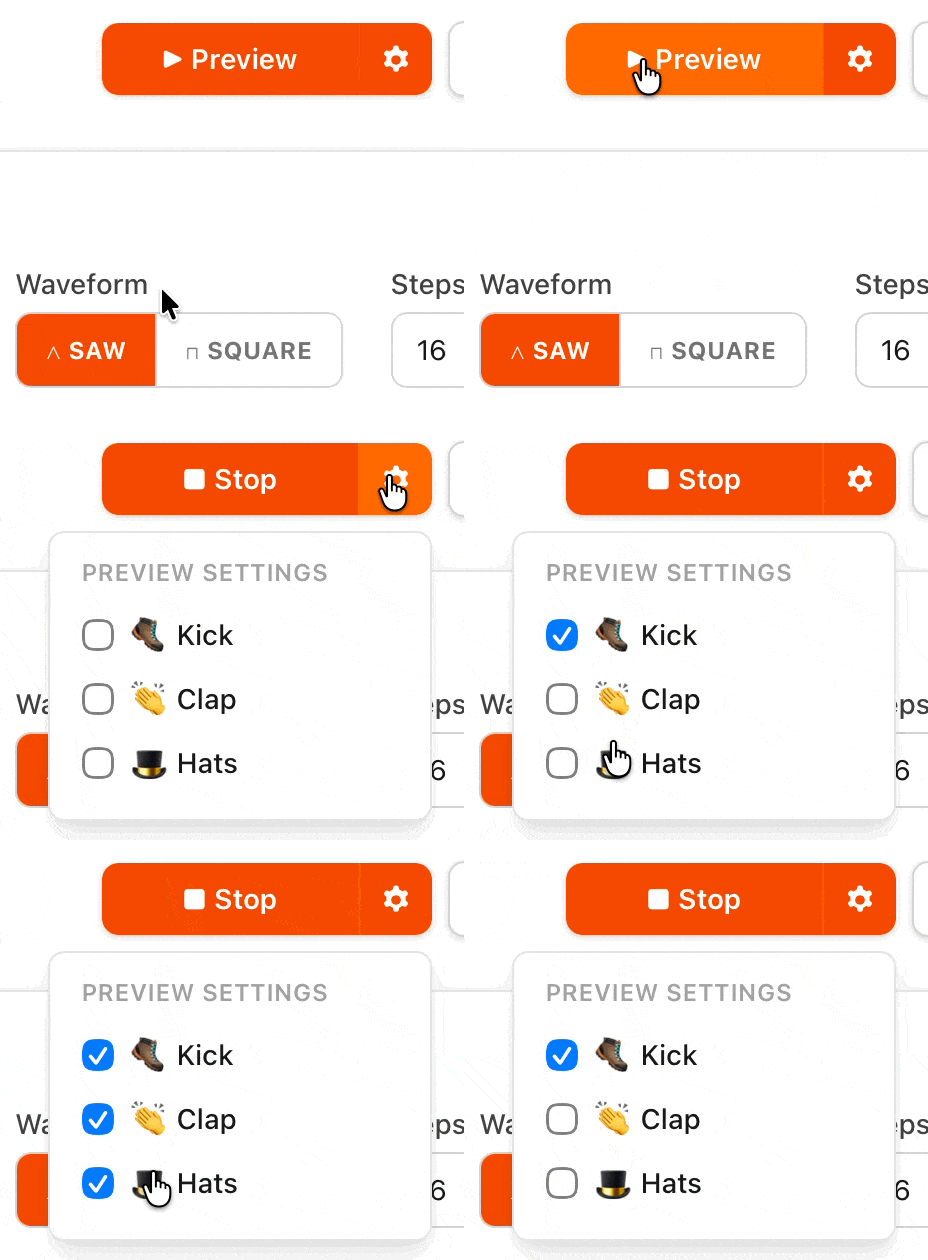
Programming a bassline in silence only tells you so much. You can now preview your pattern with drums under it, so you can hear how the groove actually sits.

Turning on kick and hats in the preview settings, then previewing the pattern

What you can do

  • Add kick, clap, and hi-hat to the pattern preview, toggling each on or off to find the pocket.

Also tightened up

  • Cleaned up the print preview.
Enjoying this? Help keep it alive